Ubuntu 18.04挂载Google Drive当本地硬盘使用
使用工具:Github · google-drive-ocamlfuse
本文使用root权限安装
add-apt-repository ppa:alessandro-strada/ppa
#如果出现错误:add-apt-repository: command not found,请使用以下命令解决
apt-get install software-properties-common
apt-get update
apt-get install google-drive-ocamlfuse -y
打开访问 https://console.developers.google.com 申请API
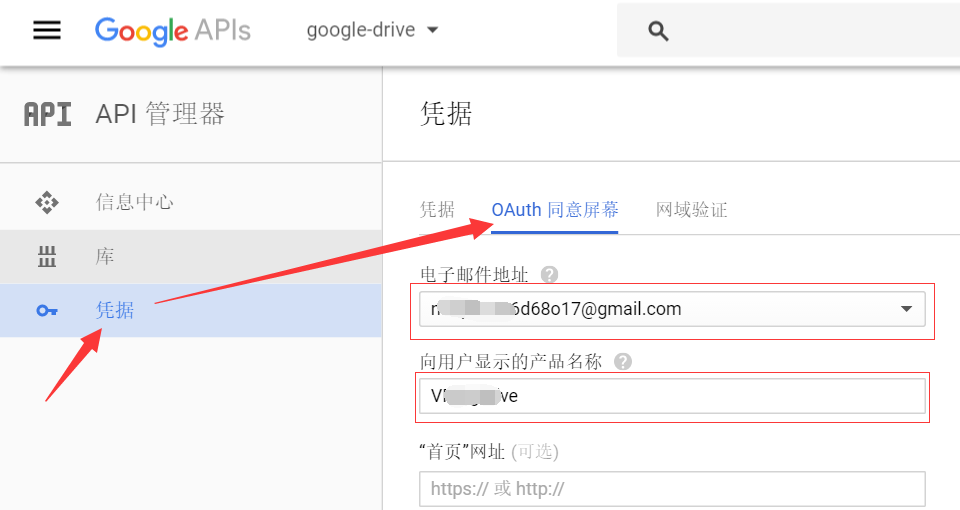
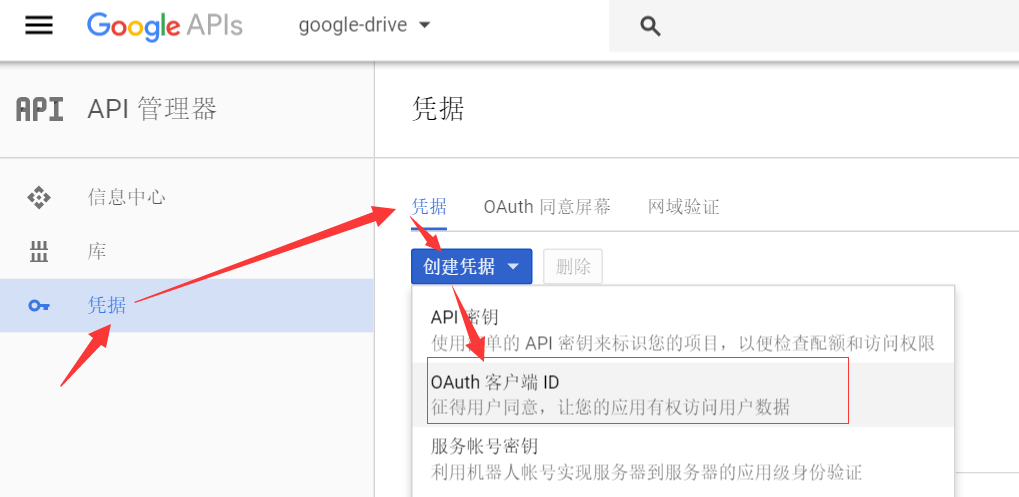
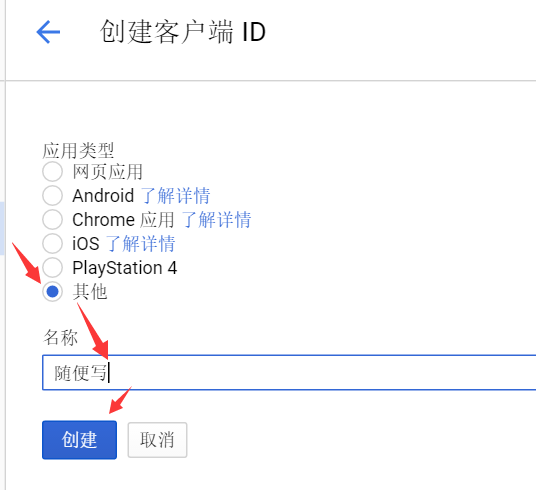
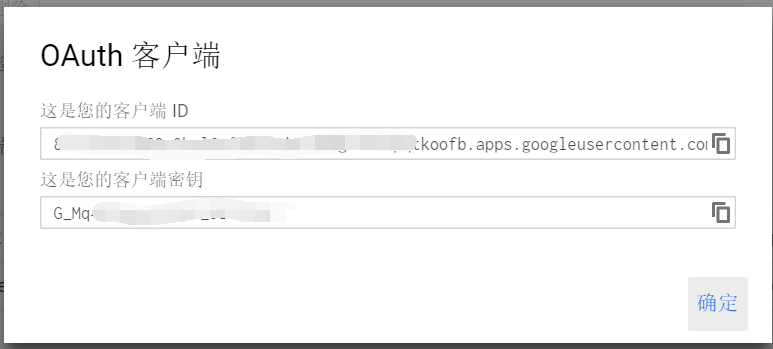
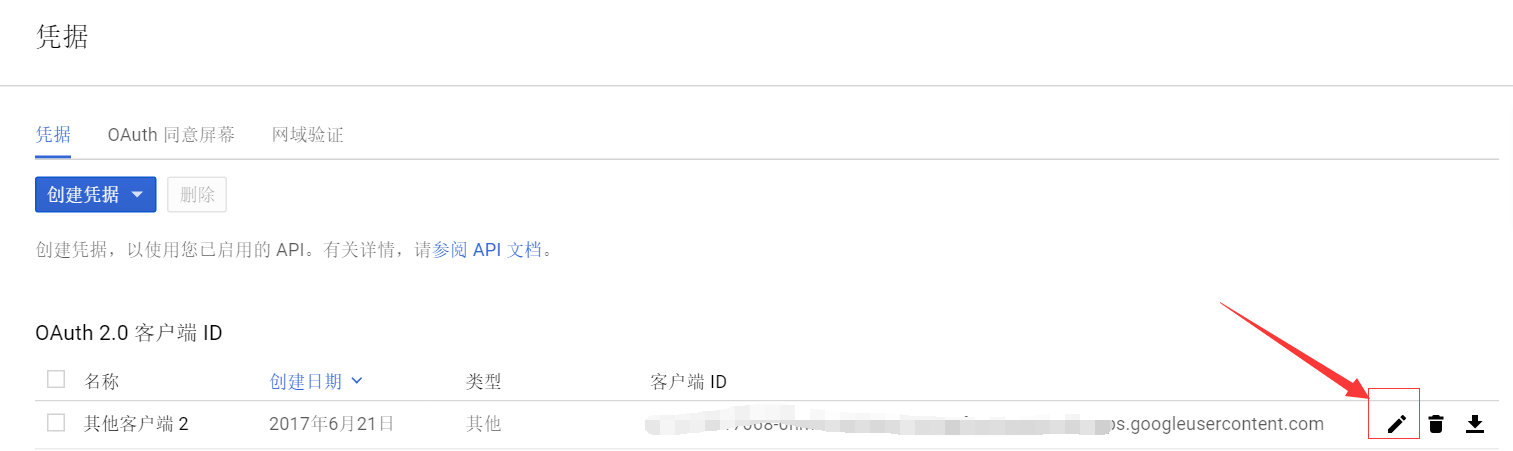
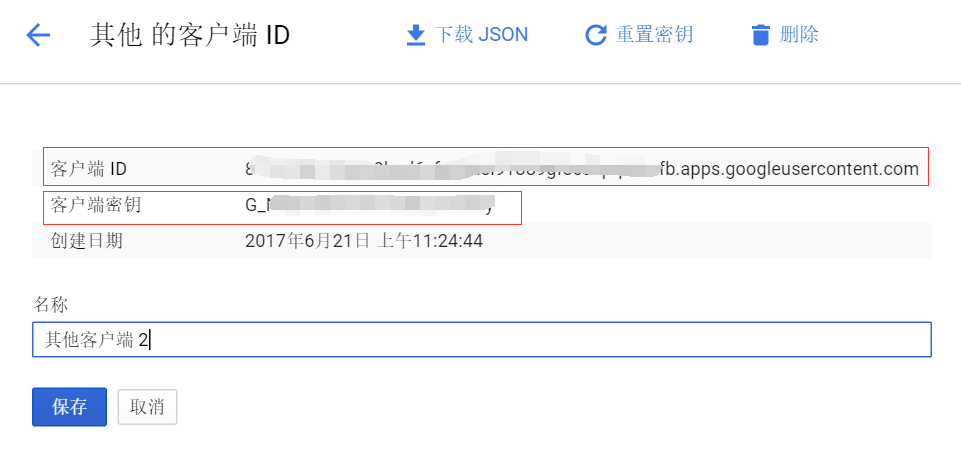
google-drive-ocamlfuse -headless -label googledrive -id 此处填写你的ID -secret 此处填写你的密钥回车后,你会得到一串URL地址,复制粘贴到你的浏览器中打开,你会得到一个验证码。
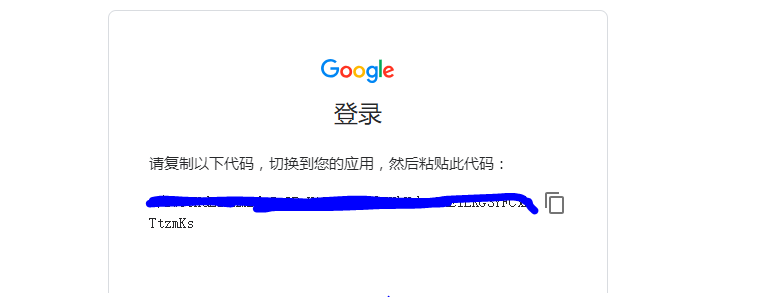
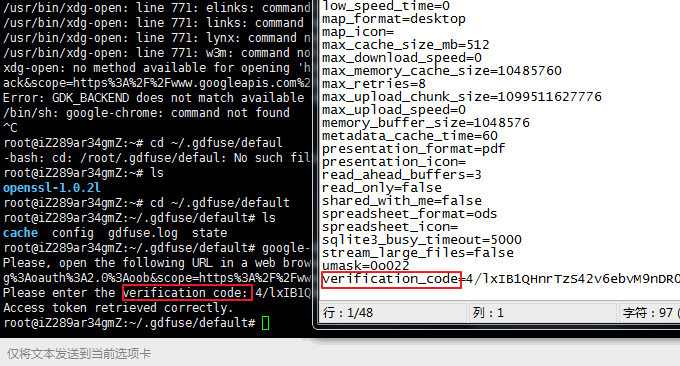
进入到路径:/root/.gdfuse/googledrive,打开config配置文件,填入你刚刚得到了验证码,保存该文件
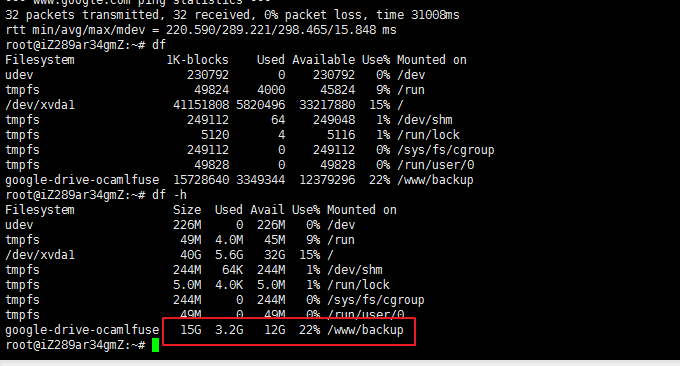
绑定Google Drive。使用以下命令绑定谷歌网盘:(/www/backup是挂载的路径,googledrive是刚刚验证密钥的时候创建的标签)
google-drive-ocamlfuse -label googledrive /www/backup
#出现错误:fuse: mountpoint is not empty
fuse: if you are sure this is safe, use the 'nonempty' mount option
使用以下命令:
google-drive-ocamlfuse -label googledrive /www/backup -o nonempty
完成这些后,我没有成功,遇到了问题
Input/output error
类似的issues
Input/output error after mounting
"Input/output error" after mount
按照开发者的建议添加 -debug参数
google-drive-ocamlfuse -debug -label googledrive /www/backup
然后查看 gdfuse.log and curl.log两个文件的信息
我遇到的问题是,API 是刚刚创建的,处于禁用状态,按照 gdfuse.log 文件给出的信息去 Google APIs 启用下就OK了。
参考资料: